Quotes
Creating a quote, sending it to the client, and what happens when they approve.
All help topics
A quote is your priced offer. The client approves it online, and the approved quote becomes the job.
Creating a quote
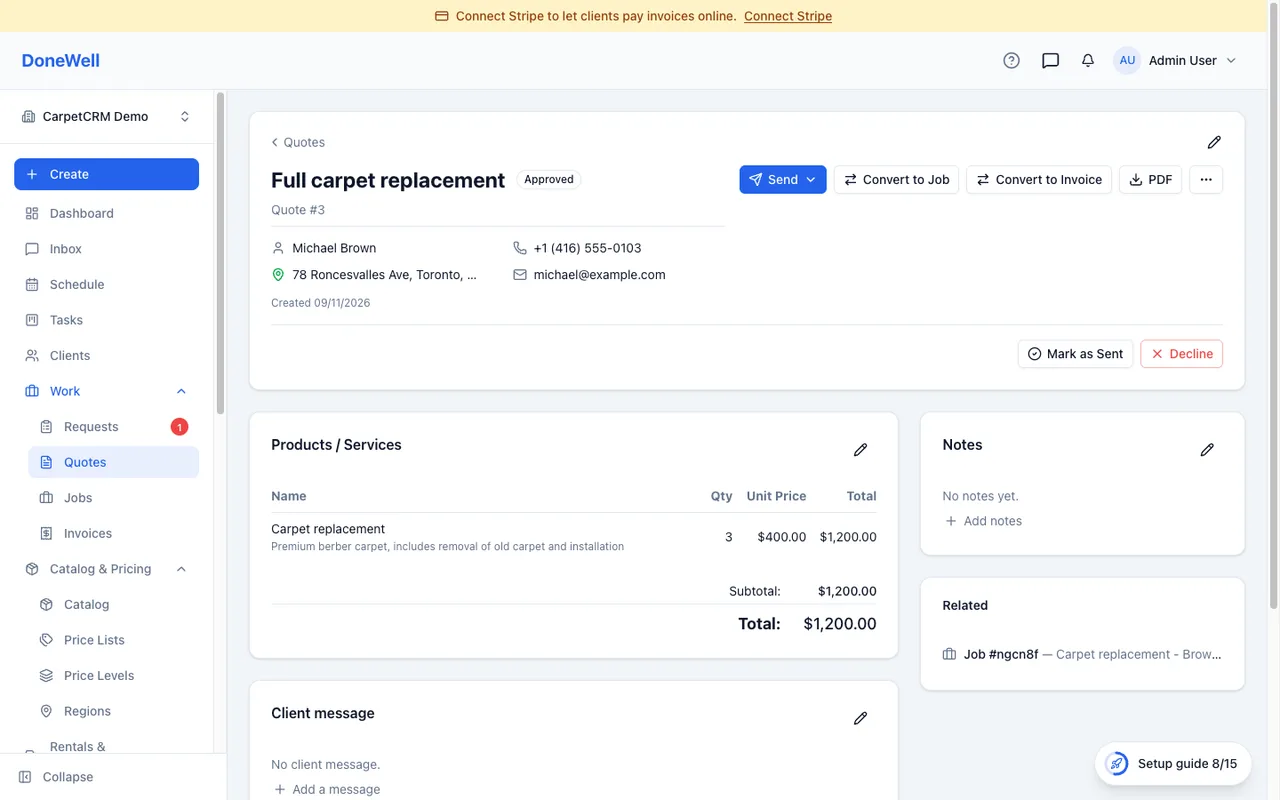
Open Quotes → New quote. Pick the client and the property, then add line items from your catalog — quantity times price, with the tax and any fees calculated underneath. You can add a discount, a promo code and a deposit request, and write a message to the client that appears on the document.
Save the quote as a draft first if you are not ready to send it; nothing goes to the client until you click Send.
Sending
Send offers email or a text message. Both carry a link to the quote's own page, where the client sees the full document, can download it as a PDF, and can approve it. You can also print the PDF or copy the link and send it your own way. A draft is not visible to the client: its link opens only once the quote is sent, so showing the QR code of a draft first asks to mark it as sent. The PDF download on the client's page is a personal link that works for 24 hours — opening the quote page again gives a fresh one.
The quote page shows when the client first opened it and when they approved, so you know where you stand without asking.
When the client approves
An approved quote is marked Approved and offers Convert to job. The line items, address and message carry over, and you schedule the visit from the job. If a deposit was requested, the client pays it at approval and it shows on the invoice later.
A quote the client did not take is marked Declined or Expired; it stays for the record, and the client still finds a declined quote in their portal, read-only. When the client says no to you directly, Decline asks for confirmation and lets you note their reason, which then shows on the quote. A declined quote cannot be converted — mark it as sent, approve it or reopen it first. Once the Valid until day has passed, the client can no longer approve it from their link or the client portal — the page tells them the quote expired and to contact you. Move the date forward (or duplicate the quote) to make it approvable again. Duplicate makes a fresh copy of any quote, useful for a revised offer; the copy is valid for as many days as the original was, counted from today.
Editing after sending
You can change a sent quote until it is converted; the client sees the current version at the same link. Once a quote has become a job it is locked, so the job and the quote never disagree about what was agreed.
Missing something? Every guide is short on purpose — write to support@donewellapp.com and we will add it.