Company settings
The details that print on documents, and how dates, times and money are shown.
All help topics
Settings → Company holds what every client sees about you and what every screen assumes about where you are.
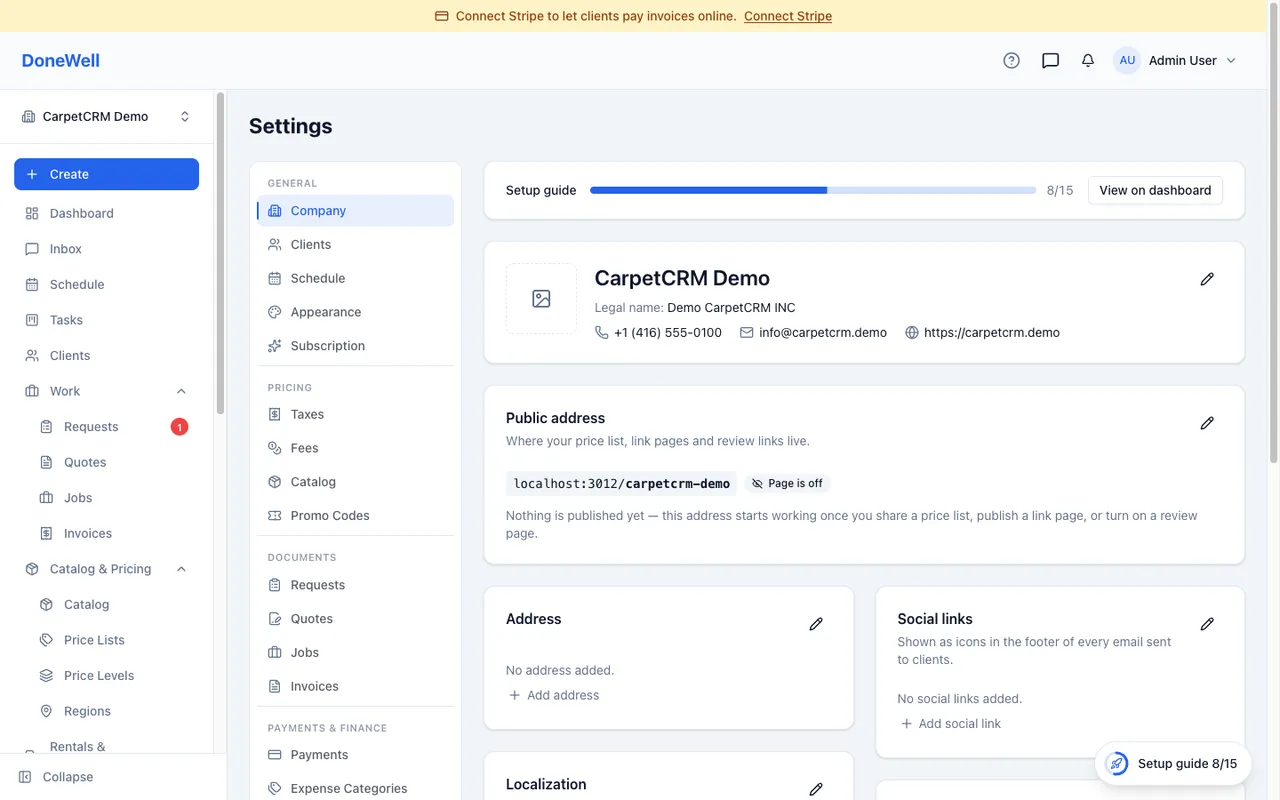
Identity
- Company name is your brand — it appears in the app, on your public pages and in emails.
- Legal name prints on quotes and invoices when it differs from the brand.
- Logo, address, phone and email print on every document and in the header of your emails. Upload a logo with a transparent background for the best result.
Localization
- Time zone — every time you see in DoneWell is shown in it. A new company starts in the time zone of the province you picked when you created it (or of the device you signed up on, if you skipped the province); check it before scheduling anything.
- Time format — 12-hour or 24-hour.
- Date format — day-first, month-first or year-first.
- Currency — the symbol on every amount.
Changing these updates every screen and document at once.
Your public address
Your company has a public address of its own (donewellapp.com/your-company) for the price list, review page and quick links you choose to publish. Nothing is public until you switch it on, page by page, and the address itself does not change once set — it is printed on cards and QR codes.
The address itself opens a company page that lists every link you have published, with your phone and email. It has its own switch — Public company page in the Public address card — and stays off until you turn it on, even when your price list or review page is already shared. Those links keep working on their own either way; the price list, Reviews and Quick Links pages show whether your company page is on and link to the switch.
Field staff location
Field staff location is off for every company until you turn it on. When it is on, the DoneWell mobile app records where each field staff member is only while they are on shift — from the first visit they start on their phone to the last one they complete, plus ten minutes — and shows the latest position to your dispatchers. A visit is marked "arrived" automatically when the phone reaches its address. Points are deleted after 30 days; the arrival stamp stays with the visit like a note.
Turning it on asks you to confirm that you have told the staff who will be tracked what is collected, when, why and for how long. Canadian privacy law requires that notice before collection (and in Quebec a short privacy impact assessment), so the card records who confirmed and when — that record stays even after you switch tracking off. A visit started for a technician from the schedule does not start tracking; it begins only when they confirm the start on their own phone.
If a staff member asks for a copy of their location data, pick them in the card and download the CSV — it holds everything still stored for them.
Working hours and defaults
Working hours, the first day of the week and the default calendar view are under Settings → Schedule. Document numbering, payment terms and the messages that go out with quotes and invoices are under Settings → Documents.
Missing something? Every guide is short on purpose — write to support@donewellapp.com and we will add it.